Hi everyone!
Welcome to the November 2025 newsletter – it hasn’t been very long since the October edition, but I wanted to get back in sync with doing these closer to the beginning of the month.
Also, if you’d rather not receive these emails, just reply to this email with a short message, and I’ll remove you (with my apologies, for adding to your inbox clutter).
Thanks for reading!
— Ken
The Boring Admin Stuff
- If you know of someone who would be interested in receiving this newsletter, please send them to https://aiforcommunity.org/ai-for-community-newsletter-signup/.
- If you know of someone who would be interested in our upcoming online training (December 8th to 11th, one hour each day at 10am Pacific), please send them to https://ai4community.org/training/online.
- If you have interest in getting more advanced training, please take 3 minutes to answer some questions at https://aiforcommunity.org/advanced-training-input.
- Please follow us on LinkedIn and/or Facebook.
- And if you don’t want to receive this email in the future, there’s an unsubscribe link at the bottom (also, my apologies for adding to your inbox clutter).
Learn Modes
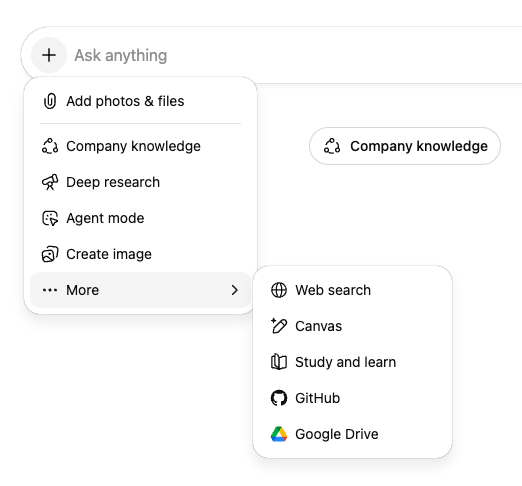
All of the big 3 AI services now support “learn modes”. Each one is a bit different, but they all are trying to provide a better experience using AI to learn about a new topic. With ChatGPT, you click the ‘+’ icon, then select “Study and learn” from the More menu.
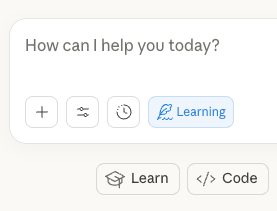
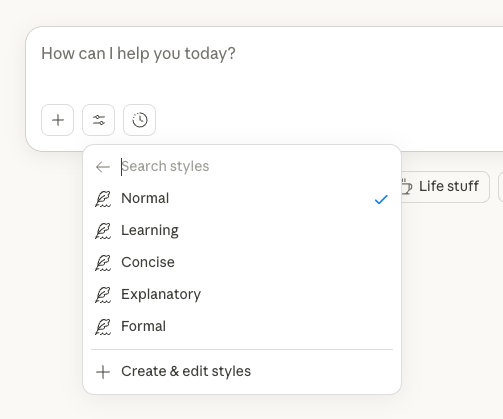
With Claude, it’s a bit different (and more confusing). You can click on the “Learn” button below the prompt area, but that just pre-loads some text as your starting prompt.
For true learning mode, you need to click the Settings icon (to the right of the ‘+’ icon), and then select the “Use style” menu item…
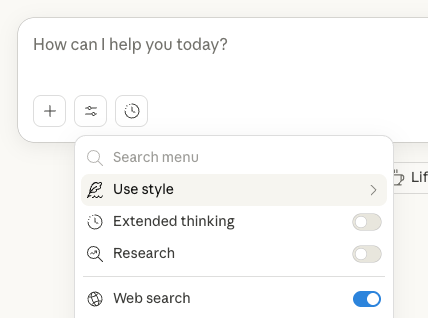
Now you have the opportunity to select “Learning” instead of “Normal”…
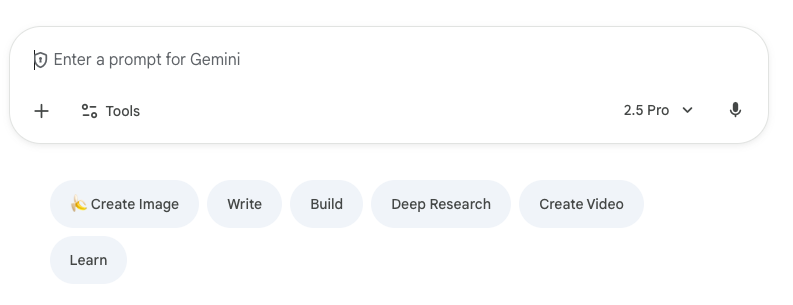
And finally, with Gemini you can click the “Learn” button below the prompt, which is the same as selecting “Guided Learning” from the Settings icon (also to the right of the “+” icon).
In my use case, I was trying to understand what a friend’s antibody therapeutics company does – I know it’s for treating cancer, but not much more. So the question I asked ChatGPT was:
Explain “full-length human IgG bispecific and and trispecific antibodies that bind to multiple targets” to someone who has a technical background and a college degree, but knows very little about cancer treatments.
(I just copy/pasted what I wanted explained from the company’s web site). ChatGPT walked me through an increasingly deep explanation, and then started asking questions to see whether I was retaining the information…for example “Want to try describing (in your own words) what makes a cleavable linker different from a non-cleavable one? That’ll help make sure the concept sticks.”
My quick take is that it’s helpful, and better than the default interaction, so definitely worth using when you want to learn about a new concept.
More Fun Stuff
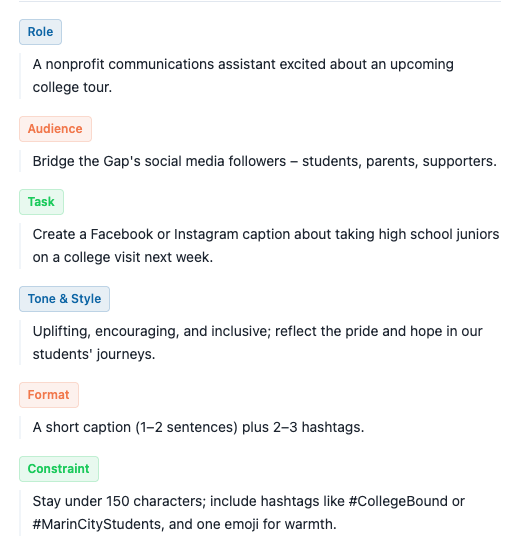
My friend Matt has a new prompt generating page, which (via helpful colored labels) shows how you can construct an even more specific prompt than what I covered during our training. Check it out at https://the-prompt-for-nonprofits.lovable.app/. Clicking on any of the examples constructs a prompt with the six aspects filled in for you (Role, Audience, Task, Tone & Style, Format, Constraint).
For example, clicking on the “Social Media Post”’s “View Framework” button will display this: